
Do you have a spare external hard drive? Do you have a working computer? A spare thumb-drive even? I’m willing to bet you have at least one of these things. And with that being said, you are likely able to set up a static mount point.
Why?
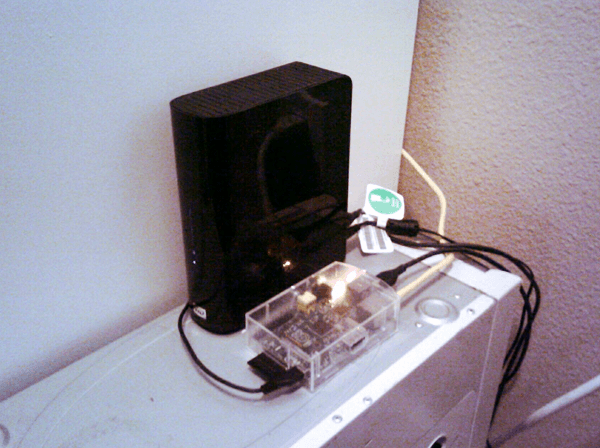
Mounting a drive upon booting up would be useful if your server is in a form factor that cannot accommodate storing another drive. For example, if you have a spare Raspberry Pi lying around, you can turn this into a file server. However, due to the form factor of the Pi, the external hard drive must be connected via USB and manually mounted upon each boot, UNLESS you enable auto-mounting the drive. This example is applicable for Mini-PCs and even just standard sized PC towers using an external hard drive.
How?
This is done by determining the drive information, editing the /etc/fstab file and adding the pertinent hard drive information so the system recognizes the drive and automatically mounts it on boot-up. The /etc/fstab file is where static mount points are stored and recognized at boot-up.
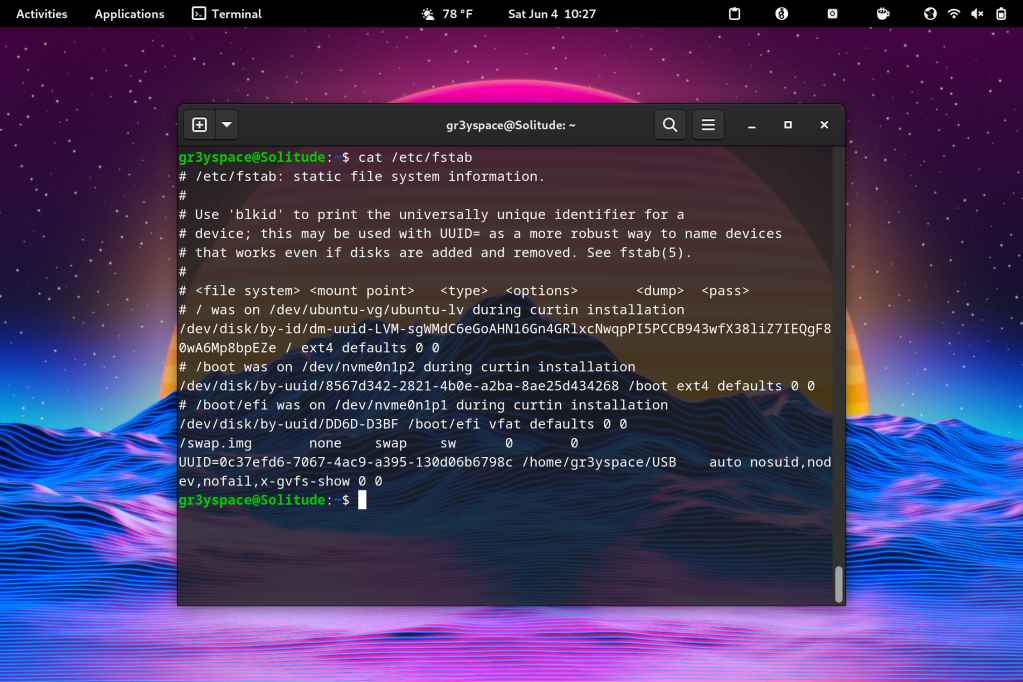
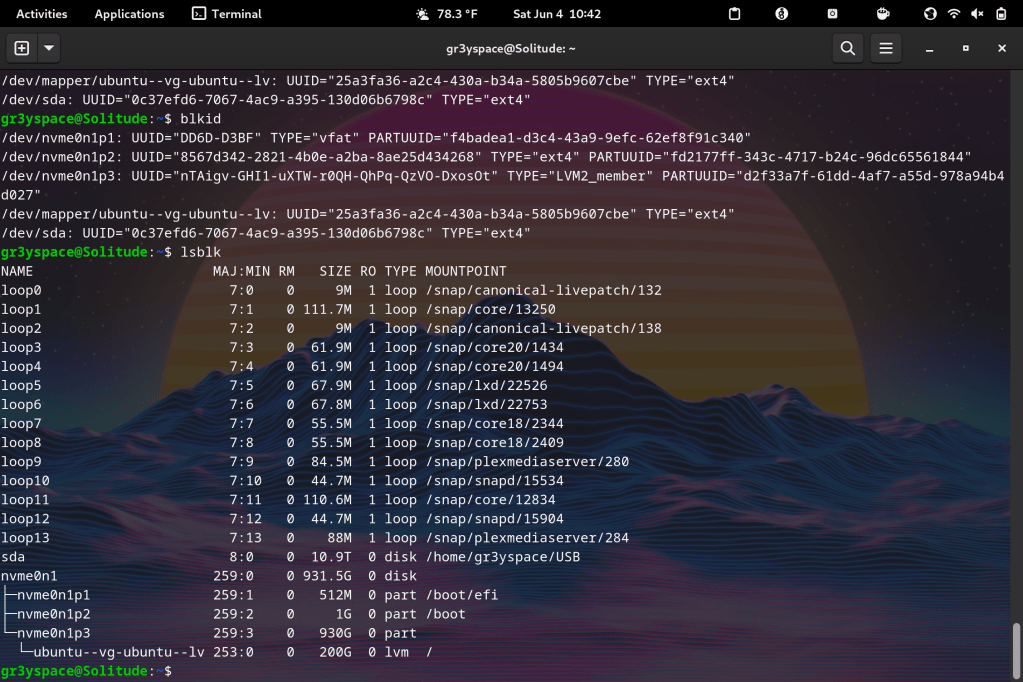
- Run the ‘lsblk’ / ‘blkid’ command to see drive details.
- Edit the /etc/fstab file to add the drive info.
- Run ‘systemctl daemon-reload’ to enable changes.
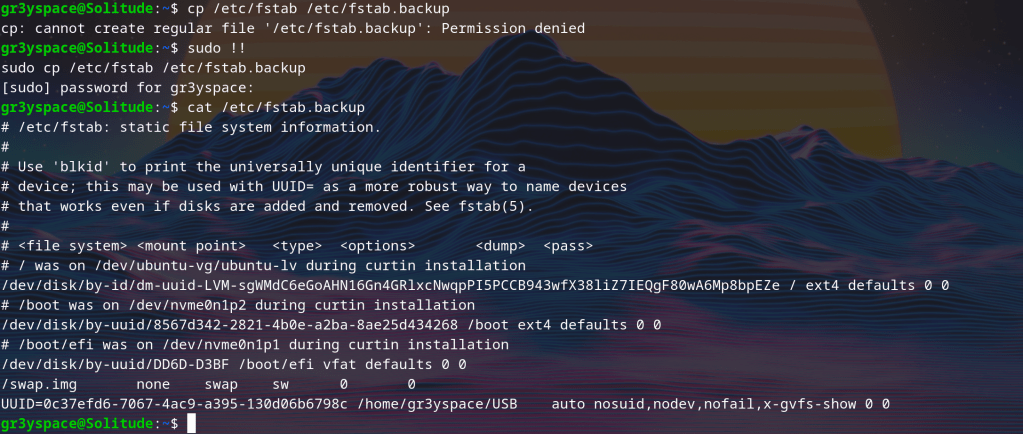
Word of Caution: Numerous guides I have looked at have suggested making a backup file of your fstab file. This is good practice just in case you accidentally nuke your original fstab file. (keep in mind this file houses ALL STATIC MOUNT POINTS)
- copy your original /etc/fstab file before making any edits
- run cp /etc/fstab /etc/fstab.backup
Redhat has a solid breakdown on all of the ins and outs of the /etc/fstab file and how to customize it to suit your needs.
As always, feel free to reach out if you have any questions or if you just want to share. Stay curious and keep learning my friends.
 Greyson's Tech Blog