
As you begin your Linux journey, after Installing your first Linux Distribution and navigating the new landscape, the graphic environment has so much to offer. Likely the GNOME Desktop environment (if you followed the tutorial from the previous post) since that is one of the more common Desktop Environments offered with the more popular Linux Distributions. GNOME is a free and open-source desktop environment for Linux operating systems.
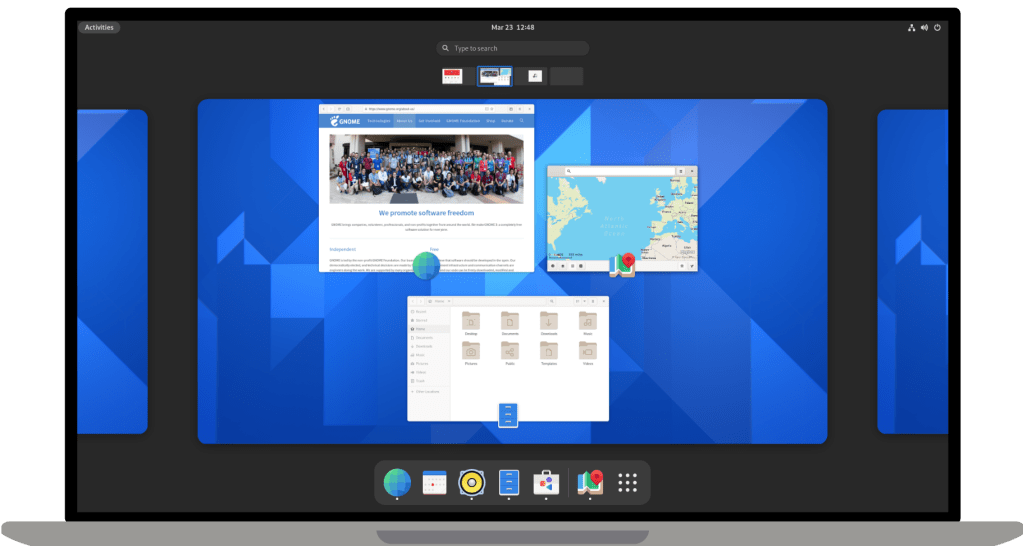
There are dozens of different desktop environments for Linux and each distribution is extremely customizable and one can tweak it to their specific taste and liking. That being said graphic environments, while great to look at are made for mainly that, aesthetics. Beautiful graphical environments made to navigate with a mouse and monitor.
Server operating systems however, contain no graphic environment. Everything under the hood, however, operates exactly the same, (assuming the distro is the same) it should behave and react exactly the same to each individual command.

“Now why would anyone want that?” You might be asking. Well the answer is purely for utility. While a Desktop Environment usually locks the user’s screen when not in use and sometimes even hibernates, a server operating system is made to be running 24/7 without a monitor, performing tasks and providing services seamlessly in the background. Upon reboot, a graphical install will also require credentials to start any processes and services, but a server OS will reboot and immediately get down to business, assuming all services are installed properly.
Understandably, this may all seem a bit overwhelming to the new Linux user, who has only recently dipped their toe into Linux with a nice Graphical User Interface. That is totally fine. What is important is that you are learning when you use Linux, and that you are becoming more comfortable with the operating system.
If you decide to take the plunge from a GUI to a Server OS, the utility will be an added benefit but if that just isn’t for you, there are a few modifications you can make to your Graphical Environment to add the benefits of a Server OS.

NOTE: Applying some of these features adds significant security risks, so apply these changes at your own discretion.
- Set your User Account to Log in Automatically at reboot
- Set your GUI to never hibernate/sleep
So to summarize, Graphical Environments such as GNOME, provide a comfortable and beautiful environment for Desktop Linux, which are great for day-to-day usage and provide a great way for newbies anyone to get comfortable with Linux commands and learning the nuances of Linux. Lately, I have really enjoyed using Fedora (with GNOME Desktop Environment) on all of my laptops!
Server Operating Systems on the other hand, provide straight utility via a graphic-less environment. They allow for uninterrupted server capability without sacrificing any of the security. All of the same utility, just none of the pretty colors. Different usages, for different use-cases.
Whatever you decide to run, make sure you have fun and learn as much as you can. Stay curious, my friends.
 Greyson's Tech Blog