
One of my recent hobbies/obsessions as of late has been Data Hoarding. One can think of Data Hoarding as similar to Archiving, but on a grander scale, but takes up WAY less space.
If there was a way for me to archive files, regardless of their type, size, origin; the idea excited me. Partly due to the preservation of data, but also because, who doesn’t want 1TB of Comic Books?
That being said, one needs some serious storage for a Hobby like this one.
With this in mind, there are several ways to pull files off of a remote server for Data hoarding purposes.
- Torrenting is one of the more popular ones, but is questionable and/or potentially illegal, depending on the country. If one should decide to use a torrent client, it is important to use a reliable VPN service. USE TORRENTING CLIENTS AT YOUR OWN RISK.
- Using Wget is another one that doesn’t get as much spotlight, but seems to be the easier route for large directories. Wget is a command line utility built with the intentions of downloading files from the internet. Wget is an EXTREMELY useful tool when downloading multiple files.
Soon I would learn, that with great data comes great storage (responsibility?)
I quickly learned that my sad little 500gb storage on my laptop was starting to hurt for space. I would scrounge for available storage mediums around the house. Various low storage internal HDDs i might have lying around, or even thumb drives. My data collecting had spun out of control. I needed some serious storage.
I needed something accessible from anywhere on my network, to upload files to so I didnt need to worry about my storage on my computer.
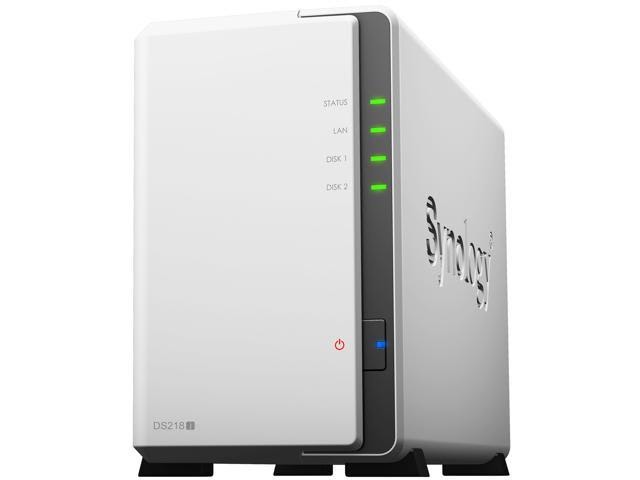
I decided to upgrade, to a Network Attached Storage or a NAS. I decided to go with a Diskstation made by Synology.
Setup was easy enough, Plug-n-play more or less.
Disclaimer: Torrenting without proper authority from the distributor is stealing and depending on your country, is a very serious offense. I am in no way endorsing theft or Piracy.
But when I say life-changing, I mean this diskstation is life-changing. If you are serious about your home network, the integrity of your data and the storage thereof, I highly recommend looking into Network Attached Storage Solutions.
Now in all honesty, I did not go the frugal route. The Diskstation NAS device I bought was anything but cheap.
There are more inexpensive ways to add a Network Attached Storage, but alas, I was looking for an easy solution with little regard to cost. Maybe I will seek cheaper alternatives for future projects.
Thanks for reading, now go forth and make cool things!
 Greyson's Tech Blog